CP804: Electronics programme design
Abstract
Reference: Beacon Practice 635
Issue: Teacher practice
Title: Electronics programme design
Overview
The early NCEA years found a previously successful Electronics progamme foundering. This case study looks at the initiatives put in place during 2005 and 2006 to establish a successful Achievement Standards based programme at the school, and examines the teaching in each of Years 10, 11, 12 and 13.
Focus points
This case study highlights:
Background
Mt Roskill Grammar
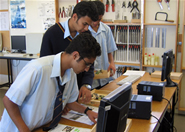
Mount Roskill Grammar School is a decile four co-educational, state school in Auckland with a roll of over 2,300 students of wide ethnic mix.
The teaching of technology at the school is done within three separate departments: Technology, which incorporates Multimaterials, Electronics and Graphics; Food Technology; and Computing.
Electronics teaching staff
Head of Technology Michele Heywood teaches Electronics and MultiMaterials Technology.
Michele's interest in electronics began with a factory holiday job while doing a BA in English and History at Auckland University. On graduation, she immediately started on an NZCE, while continuing work at the factory, eventually gaining technician status. After four years as a sales rep for an electrical components company, in 1999 she went to Auckland Teachers College. "I applied to do Science, thinking that I'd get into Electronics through Physics. Then I discovered Technology – which I didn't know existed – so that became my major."
"At that time a lot of schools taught Electronics as a subset of Science, but at Mt Roskill Grammar, where I did my teaching practice, Electronics was part of the Technology programme. It also started at an earlier level than most other schools and was much more hands-on and interesting."
Michele started teaching at Mt Roskill Grammar in 2000 as Head of Electronics. While on maternity leave in 2002 the Head of Technology position came up, for which she applied and got. "We had just started Level 1 that year – and it was quite a big transition from the Design Technology to NCEA. But I could see that the Technology Achievement Standards would fit in well with the Electronics students as it gives them a bit more structure, which they quite like.
Head of Electronics teacher Bill Collis joined the Department's teaching staff in 2001 straight from training college, after an extensive and varied career in the field of avionics technology.
Bill Collis started work as an avionics technician in the Royal NZ Air Force, qualifying with an NZCE in telecommunications in electronics. After eight years in the job, and then short-term mission work in South America, he moved to England where for two years he ran the test department for an aerospace manufacturer for both military and commercial aircraft. Returning to New Zealand, Bill worked as a supervisor for Motorola in Auckland, then in sales looking after the dealers for two-way radio products throughout the country, which he subsequently did freelance.
In 2000 he went to teacher training college in Auckland. "I could have gone into a tertiary environment but at that stage my own children were coming up to high school age. I'd been closely involved with Boards of Trustees for about nine years and I liked the school environment. And I like young people."
Like Michele, Bill's first contact with Mt Roskill Grammar was as a student on section. He stayed on for his first year of teaching – Year 9 Technology and Graphics and Years 11 and 12 electronics. In 2003 Bill took over from Michele as Head of Electronics, and also had six months as Head of Technology in 2005 while Michele was away for a second lot of maternity leave.
Bill has been highly active in his short time in teaching, quickly rising to the demands of and seeing the opportunities within the Technology curriculum and the NCEA assessment environment. During 2003-2006 he has restructured the teaching programme and approach to learning in Electronics at the school, and has produced a highly detailed and comprehensive set of workbooks for each of the Year 10, 11 and 12 programmes. This work forms the basis of this case study.
In 2007 Bill was seconded as the Senior Subject Adviser in Technology for the Auckland Northland region for 2007. Michele took over the bulk of his senior teaching duties for that year.
Electronics teacher Jasveer Singh graduated from the University of the South Pacific with a technology degree and taught physics, maths and technical drawing at his former secondary school and subsequently took a Secondary Teacher Training Certificate course. After transferring to teach in Suva, he worked in the national examination office, setting papers and marking at senior secondary level. In 2001, Jasveer moved to New Zealand and got a job teaching Electronics at Mt Roskill Grammar.
"The first year, 2002, was a bit difficult for me – a new country, a new environment and the students were very different. I've learned a lot from Bill and Michele. In my second year they offered me a senior (Year 11) Electronics class. NCEA was something really new – in Fiji teaching is mostly exam based. But I've done Year 11 since 2003 and only now can I say I'm really confident about it, and I'm getting good results too. Now that I'm involved with Beacon Practice I'm learning a lot more about the curriculum and the assessment side of it. So although I was basically forced into teaching because there was no other work, I've been doing it for eight years now and I'm really enjoying it."
NCEA – A Catalyst for Change

Historically Mt Roskill Grammar has a very succesful Electronics programme, particularly in Years 10, 11 and 12. Until 2004, there had been no programme in Electronics at Year 13 level.
The Department adapted to NCEA Level 1 in 2002, but in 2003, the school opted to stay with sixth form certificate instead of NCEA Level 2. In 2004 Electronics was taught at NCEA Level 2 and Level 3 for the first time, so the Level 3 students had not done Level 2 achievement standards. This coincided with a leadership change within the Department and outcomes suffered.
"Our 2002 and 2003 results were OK," said Head of Electronics Bill Collis, "but our 2004 results took a real dive. Out of all the Achievement Standards in Technology, we only got one excellence and in previous years we had numbers of them."
The new HOD Michele Heywood took maternity leave over the first half of 2005, and Bill was acting HOD for that period. With such disappointing year for the Mt Roskill Grammar Technology Department in terms of student outcomes, it was clear that extensive change was required. "The 2004 results really asked questions of where we were at with technology at Mt Roskill Grammar. I set myself a project to turn around our NCEA results for the department."
"At the beginning of 2005 I sat down with department and we agreed that now that NCEA had been rolled out, we had to be getting it right," said Bill. "It seemed to me that we'd been missing things like: properly understanding the clients' needs; missing the situation analysis; not figuring out how to identify key factors; prioritisation; being unclear what a brief was all about."
Bill drew up a series of templates for students to fill in when teachers saw something missing in a student's work. The templates aimed to help ensure that students knew the expectations for a particular activity/technological practice area. They were available department-wide, thereby establishing consistency of approach in all classes.
This initiative had immediate benefits. "It turned our results around," says Bill, "and we started to get some really good results across the whole department. The Hard Materials guys work with a completely different students to the ones I work with, and their results were also very favourable. And one of my students picked up a Scholarship in 2005."
Later that year, Bill was back in his role as Head of Electronics. He was determined to consolidate these improvement through to 2006 and beyond and, together with Michele and Jasveer, and with great support from the senior management, successfully applied for the second round of Beacon Practice funding.
The three teachers consulted extensively. Teacher understanding of technological practice had developed individually over a period of several years. Units of work for Year 11 and Year 12 students were there as a collection of documents and templates. It was felt that these needed review, to identify the important aspects of each programme and make sure that these were covered well. Also, there were a number of students from enhanced band classes who took the programme, and they needed scope to go beyond core requirements of the class.
It was clear that 2006 was an opportunity to draw their experiences and initiatives together into a comprehensive programme with consistent format and clear pathways from Year 10 through to Year 13.
Strategies for Change
From late 2005 and through the 2006 year, the group focussed on changes in a number of specific areas, including:
The group also did extensive work on developing general teaching strategies to help produce quality outcomes for students.
Comprehensive course workbooks for Years 10, 11 and 12
A major focus, particularly for Bill, was the collation, structuring, editing, writing and rewriting of previous materials used in the classroom and on the web, into complete and comprehensive workbooks for Years 10, 11 and 12. There was a particular focus on the materials previously developed for the Year 11 Power Supply Unit project and the Year 12 Micro-controller projects – see below, and Delivery: Year 11 and Delivery: Year 12.
Strategies for improving student documentation
A major focus within the Year 11 workbook was to establish good documentation habits. Bill developed extensive templates to provide structure and direction for this to ensure students covered all the important steps in their practice.
The templates are not wholly prescriptive, and, while most students come from the school's enhanced class and 'A' band classes, and are capable writers with good critical thinking, it was found during 2006 that some other students needed more guidance. The group is considering a more detailed template with sentence stems (starting phrases for sentences) for these students.
All students at all levels also had access to a digital camera and colour inkjet printer in the classroom, and were to be encouraged to photograph each major process and explain it in their journal. Generic photographs of the classroom environment, tools, machinery materials, and processes such as PCB making were also made available on the website for students to use with their own written descriptions.
Developing a glossary of terminology
The group reflected at length on the terminology used by technologists, and at words often found in the Achievement Standards such as 'describe', 'explain' and 'discuss'. The group adapted definitions for these terms developed by the school's science staff, thus establishing valuable cross-curriculum links with science. The group also reviewed the department's 2005 definitions for 'flair', 'elegance' and 'innovation' as used in the current version of AS90050. A new glossary was developed for the whole department.
Teaching technological practice
One area of interest over the last three years has been how students learn about technological practice – what it is and how to carry it out. Bill discussed this issue with colleagues in other schools and was surprised that few teachers appeared to teach the components of technological practice, simply allowing students to undertake the process and expecting learning to occur implicitly.
Since 2003, technological practice at Mt Roskill Grammar has been the first topic of study for Year 11 Electronics students. In 2005 this topic was reviewed and extended in 2006 and some exercises were changed. A comprehensive model and template for technological practice has been under development for three years and time was spent at the beginning of 2006 critiquing and reviewing this.
The teaching of technological practice as a topic in itself in 2006 included the model, an exercise on a case study, an assignment to interview someone, and a copy of the published version of the Techlink Components of Practice on the Techlink website for student comment.
Improving student product design
The Year 11 and 12 Electronics projects already incorporated many industry recognised practices such as component choices, soldering reliability, PCB design and PCB making. Work on identifying areas where student outcomes could be improved led to two key issues: overall product design and software design.
During 2006, the group reviewed areas of processes, materials and tools, and a range of opportunities and ideas were explored and implemented around producing quality end products.
The 2005 Year 11 project included functional modelling of circuits using breadboard techniques, before developing CAD-based schematics and printed circuit boards. Students producing their power supply solutions developed cases for their projects using materials such as acrylic and wood. "These were not ideal outcomes and (Beacon Practice Professional Facilitator) Cliff Harwood challenged us to look into product design further," says Bill. Metal was chosen as the ideal material, and although this caused many challenges, as outlined in Delivery: Year 11, the high-quality finish of the student outcomes justified this choice.
Improving student software design
The Year 12 workbook takes the form of a textbook/workbook, with a strong focus on establishing excellence in software design. Design, says Bill, is the most essential step in programming. In a rush to reach a solution, students tend to reach for the keyboard rather than a piece of paper. "Its akin to jumping into electronics circuit board design without trialling a circuit first," says Bill. "Students often resort to 'quick and dirty' or 'kludge' software solutions for their projects. Pedagogically, these are unsatisfactory behaviours."
While some time and thought had already gone into this learning issue in 2004 and 2005, Bill was determined to find solutions for 2006. After a good deal of research early in the year – on the web, through journals and textbooks, and consultation with a lecturer at AUT and a software developer – the group developed planning methodologies that could be used by Year 12 and 13 students to implement 'quality' embedded software solutions for their micro-controller projects.
"Our work in this area, and in product design, was seen as direct implementations of the new curriculum," says Bill, "specifically in the areas of Technological Modelling ranging over Levels 1 to 5 and Technological Products ranging over Levels 3 to 6."
Implementing Moodle – online learning environment
An online collection of materials was initially developed in the department in 2002. In 2006 the whole school implemented the online learning environment Moodle as the basis of their intranet/extranet. Most of the Electronics course materials were moved over to this and some redevelopment of previous online exercises was undertaken. Students now have 24/7 access to a wide range of materials. New materials are immediately available and can be updated when required. To ensure maximum useability of this resource, the group trialled any of Moodle's additional features with students, including tests, quizzes and having students create their own Wikis to record their project work.
Implementing structured personal consultations
All Year 11-13 Electronics students each receive personal consultations to discuss their individual practice, during the school's two exam breaks, in terms 2 and 3. In 2006 this took around 15 hours, over six days – 56 students at 10-15 minutes each. This initiative was very successful. It enabled teachers to focus on one student at a time and ensure they understand the feedback given. Feedback is also documented using a template, and its implementation later checked when portfolios are collected. The template for feedback is now being used with other Technology classes.
General teaching strategies for quality outcomes
The group extensively considered the concept of 'quality'. Early on they rejected definitions that drew purely from characteristics such as aesthetic attributes, manufacturing tolerances, specifications or particular features. "While these were seen as important to an outcome, the need for a particular look, tolerance, specification or feature can only relate to an item within its intended situation or in the hands of its end user," says Bill.
Research into quality outcomes unearthed six prescriptions to encourage students to do quality school work, as outlined in William Glasser's "The Quality School Teacher":
The following ideas, as distilled by Bill at the end of 2006, were also explored, and subsequently developed throughout the year:
Delivery – Year 10
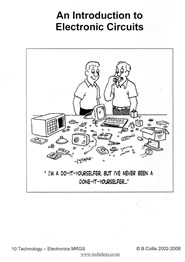
At Year 10, students learn about electronic control theory, batteries, circuits, components, meters, semiconductors, capacitors and apply this knowledge to two projects: a simple LED light project and a more complex project designing and making a timer.
For the class Bill produced An Introduction to Electronics, a highly detailed 128-page textbook covering the entire year's work. Extensively illustrated, it includes the knowledge areas covered in classwork, instructions for skill development work and guidelines for the projects, under the following chapter and sub-headings:
The Year 10 class learns all about components – how to recognise them, their basic features and how they are represented, says Bill. "Things as such as: transistors have three legs, each one is different, they have to be connected correctly; diodes have two legs but they are different, so they have to be connected correctly; some capacitors are polarised but resistors aren't," explains Bill.
Students also learn about schematic symbols. "In a circuit diagram the symbols don't bear any resemblance to the physical component – a circle with a few lines is a transistor, for example. Students have to pick up this conceptual link. It's exactly like mapping things in cartography – this circle means a man-made feature and this 'x' means a sculpture. The aim is that by Year 11 students are very comfortable looking at a circuit diagram and, by identifying the symbols, will know exactly what the circuit will look like and how it will behave."
Students then learn the theory of putting components together – that an electronic circuit is made up of three things: an input function, a process component for processing electrons in current flow, and an output function. The input function translates a real world property of matter – such as heat or light or displacement – into a flow of electrons or a voltage, that voltage gets processed and converted back into a real world property, such as light or motion.
"We want our Year 10 students to understand that one of the most important input circuits in electronics is the voltage divider.The voltage divider is about as complex as you can get – you've got to understand components and Ohm's law , be able to calculate resistance and current flow, and understand the fundamental concepts of turning a real-world physical property into electronic means. This is very difficult for senior physics students to grasp, and we're asking our Year 10s to do it. And most of them succeed, because in this school we get a lot of bright students – some are already doing Year 11 science in their Year 10 programme."
Once students understand the voltage divider, they are then introduced to the transistor circuit, the op-amp circuit and then, finally, the micro-controller , which, in turn, introduces a new element altogether – software programming. With micro-controllers, there are, again, three functions: the input programme, the processing programme and the output programme. The input programme converts electronic voltages to binary numbers, the processing programme manipulates the numbers and the output programme converts those numbers to a voltage.
"So Year 10 students learn the flow in electronics – where an aspect of the physical world gets translated into a voltage, the voltage gets translated to a number, the number is processed, it gets converted back to a voltage, and then the voltage gets converted to some physical matter property like sound or light. Then they can play with the software. And really that's the whole thing about electronics nowadays – playing with numbers in software. We've got electronic circuits that are just a block of silicon that you can programme to do anything you like. You decide. The micro-processor is the first step in that chain, and it goes on, at university, to more complex devices."
Delivery – Year 11
There were two Electronics classes taught at Year 11 in 2006, one by Bill, the other by Jasveer.
"At Year 11 we offer Level 1 achievement standards and three Level 2 unit standards in electronics," says Bill. "To be honest, we've done most of the groundwork for those Level 2 unit standards in our Year 10 programme, so the students know most of the work."
Each class does a different project, covering different knowledge areas and outcomes – Jasveer's students design and build a security device using a Picaxe micro-controller, while Bill's design and build a power supply unit. Although different, each class's project is designed to combine and apply the concepts, knowledge and skills students learnt in Year 10 to a real-life project working with key stakeholders.
Both classes begin the year with lessons specifically on technological practice. "The technological practice we cover in Year 11 is the same in both classes," says Bill. "In particular we teach students how to explore an issue for themselves. While tech practice is more lightly covered at Year 10, the Year 11s are focussed on it right from the start of the year."
"I give them an overview and talk about how to solve problems 'the technology way', showing students material from Techlink," says Jasveer. "Then they research technological practice' in industry and look at the 'components of practice' which they have met in Year 10." These early lessons culminate in an assignment interviewing a parent on a project they have done, and examining the process they went through and comparing it to the components of practice.
Students are then introduced to the issue for their main project.
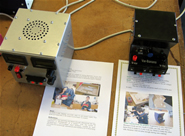
For Bill's class, the year's work focussed around one issue: "Batteries have some limitations and could even be dangerous when developing and testing electronic circuits". Students were asked to investigate this issue thoroughly then create their own product as an alternative energy source that could be used for testing circuits.
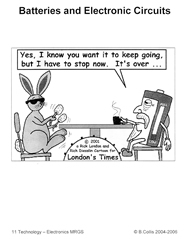
As he had done for for Year 10, Bill developed a comprehensive illustrated work/textbook for his Year 11 class, entitled Batteries and Electronic Circuits. This contains extensive and detailed sections on: Technological Practice; The issue; The client, the situation and the brief; Planning for practice; Outcome development and keeping a journal; Electronics theory; Research and circuit trials; PCB design; PCB making; Product design; Mains wiring; Case manufacture; Product assembly; Specification testing and outcome evaluation; Wider context issues, such as technology and society; and The five Achievement Standards and three Assessment Schedules applicable to the year's work.
The workbook material had been developed over the preceding two years. Bill had done this project for the first time with his 2005 Year 11 class, and had introduced improvements in 2006 based on that experience. He also consulted with Cliff Harwood (Beacon Practice Professional Facilitator) who suggested an increased focus on aesthetics and product design.
"Cliff challenged me to improve this aspect of student work, and so I stepped back and looked at what we could be doing. With the class we examined issues such as: What is a product? What does a designer/engineer/manufacturer have to do to get a product from nothing to something? Then students designed SketchUp models, then cardboard models, then the actual manufacture. And we've achieved big improvements, which is really satisfying."
By focussing on a single project for all students in the class and limiting their choice of materials, Bill was able to successfully oversee 26 individual projects. "If you create an environment where you get 26 totally different outcomes, it's difficult to keep on top of them all and you can lose the level of quality the students are aiming for. As it was, we ended up with 26 different power supplies – each one is different, addressing a unique set of circumstances."
Security device project
In Jasveer's class, students were asked to find a client with a security issue that can be solved with an electronic device and come up with a solution.
Once they had a client and a security need, students filled out a questionnaire to help clarify the issues and gave them a basis from which to work.
"To work out a viable solution students had to do a some research and some functional analysis – how its going to work, what you want it to do, what sensors would be suitable. Then they did some research and experimenting with a micro-controller before we look at stakeholder and social/cultural issues.
At this stage Jasveer focusses on teaching and brainstorming sessions in class – getting students used to the technological process they need to follow, and the new jargon and technical terms. "I don't like giving students lots of worksheets. I'd rather sit them down at the board and work through things as a class and get students to write things down as we go. With 21 students, it's a big class, so its really important to get their attention. With 21 different projects, you have to work hard to keep on top of it – expectations have to be clear so students understand that a job must be done.
Students then come up with a brief, something Jasveer works through with students step by step. "We work our way through it. I start by asking them to come up with a statement of intent – 'what do you want to make?' – then they look at key factors and specifications and constraints. From their brief they can work through the problem – through concept development, prototyping, ongoing evaluation, costing. Then there's the actual making of the board, soldering of components, taking photos, and then the programming phase – designing the programme and explaining how it works.
"A little programming was done in Year 10 and I do a bit more in term 1, and now they have to come up with their own programme, and explain each line of it. They prove that it works in simulation then on the actual board – that's the hard part and with some it took four or five goes before it worked, but others got it right first time.
Students then research and design their casing, drawing their designs in SketchUp
, look at codes of practice, produce their final outcome and complete their projects by writing a user manual for their device.
At the end of his first Year 11 class Jasveer was very pleased with the outcomes. "I'm really happy with the way the students came up with their projects and the way they've tackled them – it showed they'd listened to what I've been telling them," he said. "Well three-quarters of the class anyway. When even two or three don't achieve as well as you thought they could, you feel really bad about it. But then you look at their individual evaluations and you see just how much they have learned from your teaching over the year – how to make printed circuit boards, programming, soldering skills, putting everything together and making a project that works. I think that's very good for any Level 1 student.
"Some students picked everything up first time – I'm not sure I could do it that well. And if these Year 11 students build on the basic skills in Year 12 and Year 13, they can go out and do anything in the electronics field. And we're also teaching them to be constructive members of society."
Outcomes
Bill was pleased with the year's outcomes, particularly the way students embraced their project work. "With my Year 11s I just couldn't keep them away from the room and they'll regularly work through their lunchtime," he said.
"By the end of the year, my students have a lot of understanding of the particular power supply circuits," says Bill. "Jasveer's students have a bigger understanding of the Picaxe chip and what it can do,"
And in terms of skill development, Bill says that both Year 11 classes are working at the same level – that of circuits and components.
"If one of my students looks at a circuit diagram they'll be familiar with some components and not others. One of Jasveer's students looking at the same diagram will be familiar with different set of components, that's all. So one student will say 'I need to find out about this' and the other, 'I need to find out about that' and, hopefully, they both feel comfortable about where and how they can find that information.
"There a number of students in the class that I've hardly needed to interact with at all to be honest they've come to me and said 'what do you think of this?' and I've always said, ' it looks fantastic!' But while they've been able to operate pretty independently, when they hit a brick wall they know they can always go to you and get things back on track again.
"In the 2006 Year 11 class the product design element pleased me most because the electronics is incredibly complex. We're doing CAD work, etching circuit boards – we're soldering, testing components and circuits and all that – but actually finishing a final product that looks great as theses students did makes it wonderful."
Delivery – Year 12

The 2006 Year 12 class, taught by Bill, undertook the following programme:
Term 1: Learn to program microcontrollers, write brief for 2.1 Game project
Term 2: Complete game project and begin data and information project
Term 3: Continue on data and information project
Term 4: Documentation of evidence for the externals and send portfolio to Wellington. Individual consultations.
Bill started writing the resource material for this course in 2003 and had refined it each year. The material was available on the website, and is published in a 164 page workbook entitled An Introduction to Microcontroller Electronics and Software Design.
"I originally started using the website to distribute information, but then, using Moodle , I tinkered with interactive exercises targeting a particular skill that students need to master."
Again the workbook plots out a comprehensive and detailed course, and includes templates and tutorials interspersed with exercises, research tasks and assignments, in BASCOM and AVR, number conversion, microcontroller, game and speed control programming, light meters, strings, ASCII and various maths tasks.
During the first term students only do programming exercises. "I want Year 12 students to develop a very solid set of understandings in programming and to learn how to problem-solve. In circuitry, its too easy for students to say 'I have this micro-processor – I can just hang off some switches and some input devices, and make some LEDs and motors as output devices' without understanding what exactly is going on. It's about how to take a problem, pull it apart, and explore it to come up with some sort of algorithm to solve it

"We started by looking at a food processor. It's relatively straight forward: its got an on/off switch, a two speed motor with a switch, and a safety switch. So I get students to tease it apart and look how the designers solved its little sub-problems piece by piece: the motor will only go if this and this happens, and the motor will go at half speed if A, B and C happen, and it won't go if A is left out.
"Then we looked at a toaster because its much more complex. It has two outputs – a heater output and a solenoid output to lift the toast. For inputs there's a variable control for the toast, buttons giving different options and a timer. So we explore how all of these different things interact.
Once students understand what's happening, they write software for that system and play around with it. "Technological practice is all about planning, so understanding a problem and teasing it apart is all part of a planning process. Students have to be able to solve the problem in their mind before they can look at it on a computer. It's called 'problem decomposition' – breaking down a big problem into smaller ones that can be solved more easily. I get students to apply the same process when they come to solve their own problem with a game."
For the game project Bill limits the parameters to five switches, a potentiometer as the input, and some LEDs and a liquid crystal display for the output, and they have to work within those confines. "All I want is a conceptual design, and that is very simple – we don't need to build a huge snowboard game. This project lasts a term and is internally assessed using AS2.1. It also fulfils a lot of their skill learning in electronics and particularly programming."
During the game project Bill spends quite a bit of time talking about context. Gaming has rich and broad social issues – there are people in the US, Bill explains, suing game-makers over how it affects users' behaviour.

To explore context, Bill gets students to conceptualise a game. "I say let's find an issue and someone will say, 'I wait for the bus every day'. So I'll say 'why don't we develop a game people can play while they're waiting for the bus every day? Maybe its attached to the pole, and someone will play it and when they hop on the bus the next person can take over where they left off'. Because with a conceptual design we don't have to solve the problem just think up something and tease out the logic of how it would work, we can get riskier with the games and broaden the whole context."
Students then move on to the data and information project, where they are asked to find data in one environment and transmit that data to another.
"We might look at an anemometer. A wind surfer will want to know what sail to use in particular wind conditions. We can use a microprocessor to measure the wind speed to calculate which of five sails to use and present that to the user. We make the problem a bit more complex by using a radio system to pick up the data at one location and transmit it to another."
"By the end of Year 12, I want my students to be able to write a reasonable sized piece of software – 50 to 100 lines of code – and to be able to look at a micro-controller and do the basics with it. Their projects don't look as impressive as the Year 11s – they look like little plastic boxes with things stuck in them. But it's what's inside them that's just amazing."
"Then in Year 13 they'll be ready to learn how to add on hi-tech components to it, how to add on a real time clock to keep track of time in real world, how to drive a motor, and the complexities involved in driving motors."
Delivery – Year 13
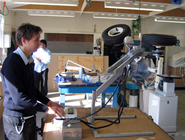
Bill had 12 students in his 2006 Year 13 Electronics class. "It's school policy to reduce the size of Year 13 classes so its acceptable for me to have a class with only 12 students in it.," says Bill. "Some of the other subjects have much bigger number, and it's still chalk and talk."
Students were given an open brief – they had to find a client, an appropriate issue and a proposed solution. From day one Bill had them considering their client: "They've got to get thinking where they're going with their project right from the beginning."
During the client/issue divining process, Bill liaised closely with students to ensure projects were within the capacities of both the students and the school. "Everything has to come past me up to and beyond the point of speccing a product. I taught all the students in Year 12, so I can assess fairly accurately whether they're capable of solving their particular problem.
"I'm also getting in information on the issues, their clients, how feasible it is for them to get access to the client, what expertise they're going to need, how much am I going to be able to provide of that expertise, or who else is going to provide it."
The school is very well set-up for fairly advanced workshop activities, and has a school technician on call if the students need elements beyond their capabilities to produce. "If students want something in particular made – little bits and pieces, shafts and levers and things – then he could make it for them."
However, one student, Chris, came up with an ambitious project to design and create an American football throwing machine. "When Chris came to me with his one, my reaction was that we couldn't do the required mechanical. So he had to show me that he had someone who could help. His dad's an engineer, so that was OK."
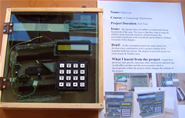
While students were busy finding a client and a suitable issue to address, Bill took the opportunity to do some formal teaching in advanced skills associated with working with micro-controllers – hi-tech electronic interfaces, real time clocks, communication between micro-controllers, communication over one-wire and two-wire networks, pulse-width modulation of motors, how to drive a stepping motor. They also cover technological practice and investigate relevant websites and forums.
"I lay down some groundwork which they can build on, and I try to get students to pick projects that use the areas of skill and knowledge we cover. For me, it's the way to go – almost every student in my Year 13 class this year has used some of those advanced techniques in their project. In the future I plan to look more at existing products, and get people like Navman in to talk to the students about their products. There's some good resources around on how product development works, and that fits in with technologists practice that is required at Level 3."
Bill is a firm believer in constraining student practice, where appropriate, in order to achieve quality outcomes. "When you use unit standards the constraints are built-in, but with achievement standards the deviation could be in any direction. But, even with 12 students in a class, it's difficult to allow totally free choice – I've got to manage the directions taken."
"We have to keep things moving because realistically they've only got three terms in the year. It's a ten-week first term, and by the sixth week I want them to be exploring their chosen issue. By the end of term 1 they will have their briefs in a comprehensive enough form so that we know where they'll be going and resources can be all sorted out. They will have started to model things, looked into the software and interfaces they will need, started putting in-phases onto micro-controllers.
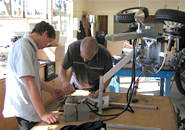
In terms 2 and 3 students seldom sit down as a class and Bill spends his time moving around project managing and problem-solving. At Year 12 the students were doing very similar things and naturally worked together in groups of students who liked working together – at Year 13, Bill has to manage this. "I look for students doing similar things and put them together to teach them as a team. Half a dozen of them may be using a real-time clock in their projects, so we'll sit down and look at how it works, how they can interface it, the software required to make it work.
"This way, despite the different projects, excellent collegial and professional relationships form within the class. The students themselves start chipping in with constructive advice and suggestions. I've had a couple of boys in particular who have been excellent resources for other students. This has reduced my teaching load incredibly. Sometimes the groups will change, and of course you've always got a few of the students doing odd things on their own.
By the end of Year 13, Bill wants students to have both a finished product that incorporates high tech electronics on the inside and looks good on the outside. "But more importantly, I want students able to manage themselves and their resources to make something happen. I'm not too worried about the complexity of their outcome because hopefully at the beginning of the year I'll have managed to reign in their ideas to something that will match their abilities.
Outcomes
Student outcomes from all 2006 Electronics classes showed significant improvement. "By the end of 2006," Bill said, "I was very comfortable with the initiatives that were put in place so far in the Year 10, 11, 12 and 13 programmes."
The personal consultations initiative was very successful. All Year 11-13 Electronics students participated, which, with 56 students at 10-15 minutes each, took around 15 hours contact time over six days. These sessions enabled teachers to focus on one student at a time and ensure they understand the feedback given. Feedback is also documented using a template, and its implementation later checked when portfolios are collected. The template for feedback is now being used with other Technology classes.
The year 2006 was also successful in its links with bringing outside experise into the classroom. An electronics technician volunteered a great deal of time helping students with projects. A former student in his last year of BEng at AUT also spent some time with students in class. The department technician spent time with a number of individual students. "The input of the department technician has been excellent," says Bill. "He interacts a great deal with other technology (Hard Materials) classes and has a valuable understanding of the role of the teacher in facilitating learning – something that many visiting technologists do not understand."
But the year's success is most appropriately, and eloquently, evident in the experiences of the students themselves:
Year 11 student
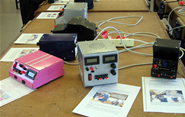
"In Electronics I learned soldering and designing boards so they were more compact and reliable. One circuit that I invented for a current limit with a switch that only went two ways that worked so well that most of the projects in the class ended up using the circuit I designed. I did some research on it, but it took me a while to think it out. That was probably the most satisfying part of it for me.
"Electronics is a lot of fun – you get to learn a lot of new skills that you wouldn't learn anywhere else. You get to learn about yourself as well – you have be determined to get the job done and to finish things exactly the way that you like it. I think the quality of the finish is pretty important. If it looks good it'll get used, and looking at it now I think I would have gone back and redone the labels if I'd had time.
"I'm probably looking at becoming an engineer – studying at AUT or Auckland Uni. So I'll be keeping Electronics on till the end of Year 13."
Year 12 student
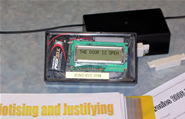
"I'm becoming comfortable with the process because I've been through it a few times now. It's definitely becoming easier. Planning's what I find to be the most difficult part – because you get those unexpected things coming into play. Your planning has to be rigid enough to follow but flexible enough to accommodate the unexpected.
"I kind of like the challenge this subject gives you. It's the only subject where I can get up and walk around and make something that works. I quite like it when you finish the project and it works like you wanted it to. You don't get that in other subjects – there you tend to get a result, here you get to see your result coming. And I just like the chance to make things.
"We really do like being able to help each other. It's a small class and we mostly know each other at the start of the year and if we don't, we get to know each other quickly. And it helps everyone to help each other. Other subjects like maths and science can be relatively competitive but this is less so. Personally I'm not someone who goes about it as a competition unless I'm actually entered into a competition! We help each other in physics and chemistry too but there are often test conditions, here we are always helping each other."
Year 13 student
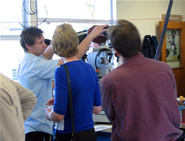
"The last four years have taught me practical basic electronics. At engineering school we're going to be using the chip I've already dealt with, so I've got a good base for that. And I won't have to learn about AVR from scratch like students from other schools – I'll have done it for two years.
"In Year 13 we did a lot of stuff in Physics that we'd covered in Electronics. Like this year we've done Kirchhoff's laws and we did that back in Year 10 Electronics. In Physics its much more just writing things down and I'm lucky I've already done all the practical testing in Electronics. In Physics we do small experiments but that doesn't really help. In Electronics you get to do more practical stuff, test out all the theory, get your hands on it and learn why thing go wrong.
"In Electronics we help each other and we learn stuff that way. If Alex, say, was working with motors, and I'm not and have to do something with motors I'd go to him and ask what he thinks and he'll teach me about it. Even in classes like graphics there's not same level of interaction – because everyone is basically just drawing and its not like you can teach someone else how to draw.
Electronics is not easy! You can see how much I've struggled getting all this to work. I could have just quit and changed my subject – there's lots of easier ones around. Every day in electronics is different and you learn different stuff each day. In electronics we get a chance to play with all this cutting edge technology – its not easy, but its fun. As you say there are no 'right answers' in the back of a text book, its always trialling and testing. And in the end, you can't beat the feeling of actually finishing a project and seeing it being used by a client."
What next?
Bill Collis: "In 2006 I spent time talking with engineering people at AUT and colleagues in industry, and to a work skills conference to find out what industry people were saying about the sort of skills they need in young people. And the more you look around, the more you realise that our subject, Technology, has got most of the answers – because it teaches students how to think and gives them confidence to jump into the real world without feeling a complete idiot."
Significant areas identified in 2006 for future improvement included:
When students struggled with their work, it was clear they did so because they had been allowed to 'overreach' with their projects "they have not been scaffolded through learning processes well enough. While a significant reason for this was the range of student abilities within a class, this area needed remedy."
In 2007 Michele also began restructuring the Year 9 and 10 Technology programmes to establish continuity across the entire Year 9-13 Electronics programme, to capture more students into technology and develop a consistent vision for technological literacy across all technology areas in the school.
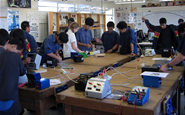
"Michele has some great ideas and has thought very carefully about how the whole Year 9/10 programme can best fit in with what we have developed for our senior school," says Bill. "By the end of 2007 her Year 9/10 programme will be pretty much established, and that will then feed into the Year 11, 12 and 13 classes."
Michele is also keen to increase the number and range of students taking Electronics. "We've been taking the very academic students and channelling the others into other slightly 'easier' areas of Technology," she says. "There's a presumption that you have to have a high level understanding of maths and science to do Electronics. At some point we needed to establish an appropriate course for the group just below the very high achievers.
"So in 2007 we began a Unit Standards-based electro-technology course for those students. Students coming through from Year 10 now have two channels they can take. We've always done that in Multi-materials and it seemed appropriate to do it in Electronics as well. Some students can cope much better getting the skills and understandings from a range of smaller projects. That could make them good technicians one day – and there's a good market there."